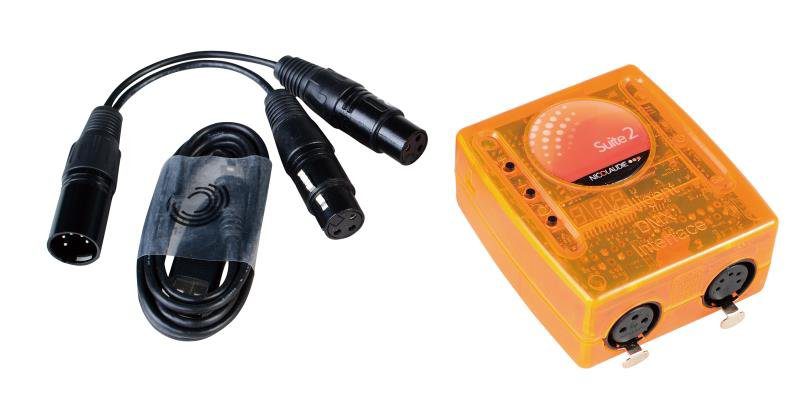
A small bar or club rig fails for boring reasons: the channel budget was never counted, the controller was bought for its looks, and the fixtures were addressed in whatever order they came out of the box. None of that is expensive to get right, and doing it in the correct order takes about an hour before the first cable is run.
The short answer
Count the channel footprint of every fixture first, then buy a controller that covers that total with headroom. A 24-fixture rig of 16-channel heads uses 384 of the 512 channels in one universe, which a 192-channel or 408-channel DMX controller covers at US$78 to US$123 EXW. Address fixtures in blocks by type, add an isolated splitter at the eight-fixture mark, and terminate the last fixture in every run.
How many DMX channels does a small venue actually need?
One universe carries 512 channels, and that is the entire budget. Multiply the channel footprint of each fixture by how many you own, then add a quarter back as headroom for the fixtures you will inevitably add later.
| Fixture footprint | Fixtures per universe | Typical use |
|---|---|---|
| 8 channels | 64 | LED PAR on a fixed colour |
| 16 channels | 32 | Basic moving head, or a PAR with dimmer and strobe |
| 24 channels | 21 | Moving head with 16-bit pan and tilt |
| 32 channels | 16 | Full moving head: gobos, prisms, CMY |
| 40 channels | 12 | Pixel bar, or a fully featured hybrid |
The reality check most people skip: a 200-fixture stage of 24-channel heads is 4,800 channels, which is ten universes before you add a single spare. That is why large systems are planned as a channel budget per universe and per truss wing, not as a list of fixtures. Our DMX channel planning guide for a 200-fixture stage walks through that maths.
Which controller fits a small venue rig?
Controllers differ far less in channel count than in how quickly you can build a look on the night. These are real EXW prices from our current range:
| Model | Channels | Control surface | EXW, 1 unit | Volume |
|---|---|---|---|---|
| RG-CTD192S8FLA-K | 192 | 8 faders | US$78 | — |
| RG-CTD408S8J-K | 408 | 8 faders | US$123 | — |
| RG-CTD192S6I-K | 192 | 6 faders, Pilot 2000 | US$135 | US$129 over 10 pcs |
| Daslight 4 controller | software-defined | laptop plus interface | US$176 | US$150 over 20 pcs |
| RG-CTD1024S16F-K | 1024 | 16 faders | US$298 | US$275 over 10 pcs |
| QUARTZ (Mini Tiger Touch) | console | touchscreen, cue faders | US$858 | — |
For one universe of bar fixtures, a 408-channel fader board at US$123 covers the rig and leaves room to grow. The 1024-channel 16-fader desk at US$298 becomes the sensible buy the moment you add a second universe or pixel-mapped fixtures, because fader count — not channel count — is what you run out of when building looks live.
How should the fixtures be addressed?
Address in blocks that match the fixture type, and write the plan down before you touch a menu:
- List every fixture in physical order along the truss.
- Give each type a fixed block size equal to its channel footprint.
- Address the first fixture of a type at 1, the next at 1 + footprint, and so on.
- Leave deliberate gaps between types. A ten-address gap costs nothing and lets you change a fixture's mode later without re-addressing the run.
A patch that reads "movers 1 to 64, washes 65 to 128, blinders 129 to 160" can be fixed by anyone with a torch. A patch with fixtures scattered across a universe cannot.
Do I need a splitter, and when?
Add a splitter when a single run carries more than about eight fixtures, or when the rig mixes dimmers and LED fixtures. These are the three pieces that come up most often on a small rig:
| Model | Function | EXW, 1 unit |
|---|---|---|
| RG-CA8402MINI | DMX mini splitter, 4 outputs | US$51 |
| RG-CR0CR021R | Art-Net / DMX512 2-channel network converter | US$98 |
| RG-CS0302 | DMX512 mixer | US$148 |
The splitter is the cheapest insurance in the whole rig. It also gives you extra physical outputs, which means the bar-side line stops travelling the length of the room back to the console.
What breaks first on a small DMX rig?
Work down this list before blaming the controller:
- No terminator on the last fixture. Flicker and random channel jumps, almost every time.
- Microphone cable used as a DMX run. Wrong impedance; it works until it does not.
- Two fixtures on the same address after a service swap.
- Ground loop between console and rig because nothing is isolated.
- A fixture in the wrong mode — a 32-channel unit patched as 16.
- A long unterminated stub from a splitter to a single fixture.
If the rig flickers only when the bar's fridge compressor starts, you have a power and grounding problem, not a DMX problem.
What should the first show file contain?
Build four things before doors open, in this order: a warm wash, a blue wash, a blackout, and a chase. Add a grand master fader that kills everything in one movement, and label every fader so a relief operator can run the room without you.
Everything else — haze, wireless DMX, a second universe — is a second-phase purchase. None of it fixes a rig whose channel budget was never counted.
How do I prove the rig works before doors open?
Run one check in this order, every time, and most show-night surprises disappear:
- Blackout test. Every channel at zero, walk the rig and confirm nothing is lit.
- Walk the colour. Bring up red, then green, then blue, and watch for a fixture that is the wrong colour or not responding at all.
- Check the patch direction. Move the first mover on the left-most fader and confirm the left-most fixture moves, not the right-most.
- Run the show file end to end at full speed, watching the fixtures rather than the desk.
- Test the blackout fader last, from the position you will actually stand in.
Ten minutes of that is worth an hour of troubleshooting while the room fills.
What to send us
Write the channel budget down first, on paper, in fixture order. Then send us the fixture list with each model's channel footprint and the venue's cable run lengths, and we will confirm the universe count, the splitter position and the smallest controller that covers the rig — plus a patch sheet you can hand to whoever runs the desk. The 192-channel 8-fader controller is enough for most single-room venues; step up only when fader count, not channel count, is the limit.
Frequently Asked Questions
How many DMX universes does a 24-fixture bar rig need?
One. A universe carries 512 channels, so 24 fixtures averaging 16 channels each consume 384 channels and leave 128 spare. You only need a second universe once the sum of every fixture channel footprint passes 512, or once you want a physically separate wing of the venue on its own cable run.
Do I need an opto-isolated splitter?
Yes once a single run carries more than about eight fixtures, or as soon as dimmers and LED fixtures share a line. The splitter separates the console ground from the rig, which is what stops a fault in one fixture from taking down a whole universe.
Do the fixtures or the console set the address?
The fixture sets its own start address and the console is patched to match. Choosing the footprint order before you touch a menu is the difference between a patch you can read in six months and one nobody wants to fix.
What breaks a small DMX rig most often?
Cable, not software. A missing 120 ohm terminator, a microphone cable used as a DMX run, or a daisy chain through twenty fixtures all show up as flicker and random channel jumps that look like a controller fault.
Can I run DMX over the venue's existing network cable?
Only with a converter built for it. Art-Net and sACN travel over Ethernet and need a network-to-DMX node at the rig end; plugging a DMX line into a network switch does nothing.
How much spare channel capacity should I leave?
A quarter of the total. Headroom is what lets you swap a 16-channel fixture for a 32-channel one, or add two blinders, without re-planning the whole patch.
Need help choosing fixtures for your project? Tell us the venue type and room size — we'll spec it for free.
Request a Free Rig Spec →